This website uses cookies

We use necessary technologies to operate the site and, with your choice, analytics and marketing technologies to improve the Service and measure campaigns.
|

AI auto-apply agent

Use AI to Apply for Jobs Automatically

LifeShack finds roles that match your preferences, prepares tailored resumes and cover letters, and submits supported applications using your profile—so you can spend less time on repetitive forms.

Start with 5 free application credits. No credit card required.

AI auto apply, with your preferences in control.

LifeShack is an AI job application tool that finds matching roles and submits supported applications using the profile you create. Set your criteria once, then use the dashboard to track activity and refine your search.

  1. Step 1Your preferencesRoles, locations, profile, and blocklist
  2. Step 2LifeShack evaluatesMatch criteria and supported workflow
  3. Step 3Application activitySubmit when supported and record the result

One reusable profile

Provide your resume, work history, skills, preferences, and reusable answers once instead of re-entering them for every application.

Candidate controls

Update your search, pause Auto Apply, and use company blocklists when your priorities change.

Application tracking

Review submitted applications from one dashboard so you know where your profile has been sent.

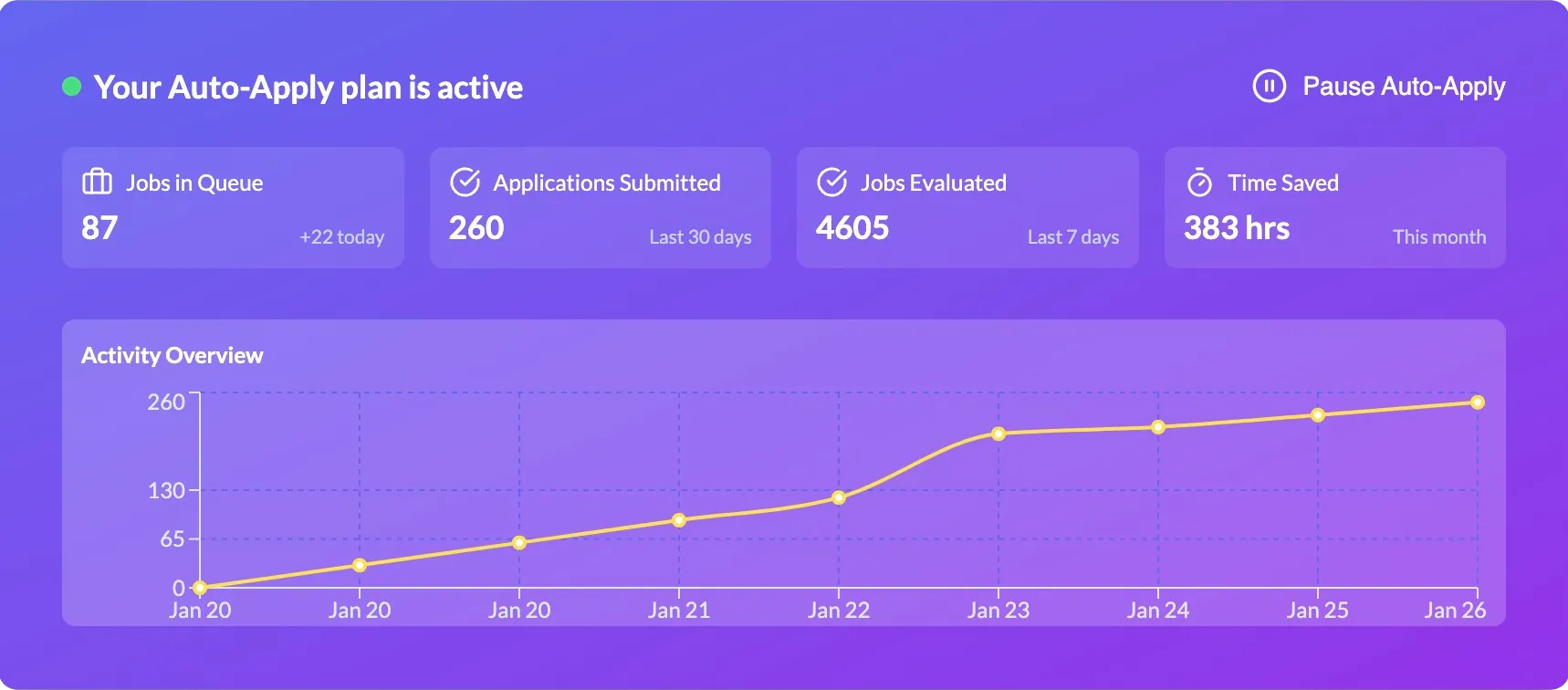
Example LifeShack dashboard showing queued jobs, submitted applications, jobs evaluated, and estimated time saved
Example dashboard: review queued jobs, submitted applications, and application activity from one place. The figures shown illustrate a typical user and are not a guaranteed result.

How it works

How LifeShack applies to jobs for you.

LifeShack handles the repetitive steps in supported applications. You provide the source information and decide which roles and companies fit your search.


  1. 1

    Create one application profile

    Upload your current resume and add your work history, skills, preferences, and reusable application answers.

  2. 2

    Set the roles you want

    Choose target roles, locations, and other job criteria. LifeShack uses those preferences when searching available listings.

  3. 3

    LifeShack checks each match

    The system compares available roles with your criteria and uses the information in your profile for supported application workflows.

  4. 4

    Supported applications are submitted

    Portal support can vary when an employer customizes its application or asks for information that only the candidate can provide.

  5. 5

    Track and refine the workflow

    Review submitted applications in your dashboard, update your preferences, pause the search, or block companies as your priorities change.

Start with free application credits.

Try 5 supported applications with no credit card required, then decide whether the workflow fits your job search.

Start with free application credits

Compare auto-apply workflows before choosing.

See how cloud agents differ from trackers, autofill extensions, and browser automation—and compare LifeShack with seventeen alternatives.

Frequently asked questions

What to know before using AI to apply for jobs.

Can AI apply for jobs automatically?

Yes. An AI job application tool can use your resume, saved answers, and search preferences to find matching roles and submit supported applications. You should keep your profile accurate and review your application activity regularly.

How does LifeShack's AI apply to jobs for me?

LifeShack searches for roles that fit your job criteria, uses the information in your profile to prepare supported application fields and role-specific resume or cover-letter drafts, and records submitted applications in your dashboard.

What information does LifeShack use?

LifeShack uses the resume, job preferences, work history, skills, and reusable application answers you provide. Keeping this information current helps the system find and complete more relevant applications.

What job platforms does LifeShack support?

LifeShack works across multiple job-board and applicant-tracking workflows. Employers can customize their application portals, so some applications may be unsupported or require additional candidate information.

What control do I have over automatic applications?

You can update your search preferences and resume, pause Auto Apply, track submitted applications, and block companies. Review the current controls during your trial to decide whether the workflow fits your search.

How many applications can LifeShack submit each month?

Application credits vary by plan, up to 300 per month on the current highest-volume plan. Completed volume depends on matching jobs, supported application flows, and the information available in your profile.

Can I still apply for jobs manually?

Yes. Auto Apply can handle repetitive application work while you apply manually to high-priority roles that need extra research, networking, or personalization.

Is auto-applying with AI safe?

Use application automation carefully. Keep your profile current, review where applications are going, and use pause or company-blocking controls when needed. LifeShack does not guarantee interviews or job offers.

Can I try LifeShack for free?

Yes. Start with 5 free application credits, with no credit card required. Use them to judge whether the workflow fits your preferences before choosing a paid plan.