Smartrecruiters application status meanings
by Patrick Da Costa Guimarais • Last Updated 11/10/2026
SmartRecruiters Application Status: What In Review and Archived Mean
By Patrick Da Costa Guimarais, founder of LifeShack. Updated November 2026.
SmartRecruiters is unusual among applicant tracking systems in defining its candidate-facing statuses at the vendor level. Its Candidate Status API, which returns status from the candidate's point of view, lists six: New, In Review, Interview, Offered, Hired and Archived.
Five of those say what they appear to say. The sixth covers four different outcomes, two of which are not rejections.
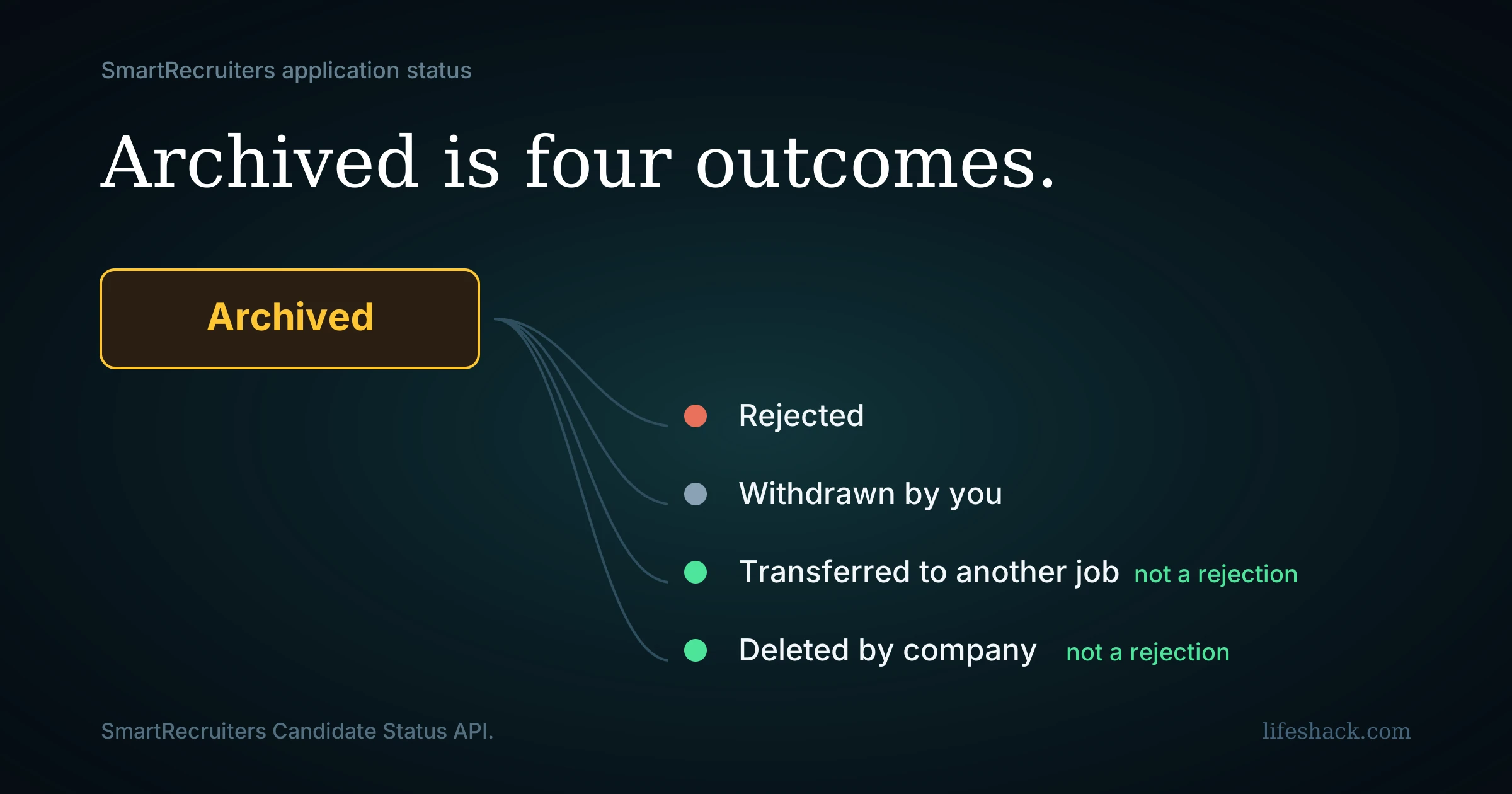
Archived is four outcomes wearing one label
SmartRecruiters' API documentation states that an archived application also returns a substatus, and gives four possible values.
Rejected. The hiring team declined your application.
Withdrawn by applicant. You pulled it.
Transferred. The hiring team moved your application to a different job. This is the one people misread, because it can mean someone thought you were a better fit elsewhere and acted on it.
Deleted by company. The application record was removed on the employer's side. This commonly follows a cancelled requisition or routine data cleanup, and it carries no judgment about your application.
The substatus exists in the system. Whether you see it depends on what the employer's careers site displays, and many show the top-level status alone. SmartRecruiters' candidate help describes Archived as meaning the application was transferred, withdrawn, or rejected by the hiring team.
So an archived application tells you the application is closed and nothing reliable about why. If the role you applied to was cancelled, or you were moved to a different posting, your dashboard can look identical to a rejection.
What you cannot infer from Archived
You cannot infer rejection. Two of the four substatuses are not rejections.
You cannot infer the role was filled. A cancelled requisition produces the same label.
You cannot infer you are out of consideration at that company. A transfer moves you to another job, and the archived entry is the old application rather than your candidacy.
If Archived appears with no email explaining it, asking the recruiter is reasonable, because the answer differs case by case and the portal will not tell you.
The other five
New. Your application was received and is sitting in the queue. Nothing has happened yet.
In Review. SmartRecruiters defines this as the candidate being reviewed by the hiring team. It sits after New and before Interview, and it is the first status that implies someone acted on your file. Treat it as a status someone set, since candidates get moved in batches and the label alone does not establish that a person read every line.
What it does not tell you is how far along the review is or how many others are in the same status. It marks a stage and says nothing about where you sit among the others in it.
Interview. You are in the interviewing stage. This one is reliable, because it generally accompanies actual scheduling.
Offered. An offer has been extended.
Hired. The process concluded with you.
There is also Lead, which appears in SmartRecruiters' broader API and describes a candidate being considered for a job without having applied. If you see it, a recruiter sourced your profile rather than you submitting an application.
Where to check
You do not create a SmartRecruiters account before applying. The candidate profile is created as part of your first application, and you sign in afterwards using the email address you applied with.
That profile lists your applications with a current status for each. What appears there varies by employer, since careers sites built on SmartRecruiters can present more or less of the underlying data.
For status vocabulary across platforms generally, our job application status meanings hub covers the common labels.
Reading it sensibly
Email outranks the dashboard. Rejection notifications and scheduling messages are sent separately from status changes, and candidates regularly report receiving a rejection email while the portal still shows In Review. Treat the email as the decision.
Archived needs a reason before you act on it. It is the one status here that warrants a question.
Movement matters more than duration. Weeks at New or In Review is ordinary, and a change of any kind means someone did something.
New is not a bad sign. It is a queue position and nothing more.
Time follow-up against response benchmarks instead of the page. The median first review in the US lands around six days, and our guide to how long it takes to hear back covers the full timeline.
The part the dashboard cannot help with
A six-item status set is more informative than most platforms offer, and it still leaves the main question unanswered on the one status that matters most.
Meanwhile each application is its own submission, with its own screening questions and its own forms, and volume is the thing that determines outcomes rather than monitoring.
LifeShack handles that layer. It searches for roles matching your background and constraints, tailors the resume and cover letter to each posting, submits across the systems employers use, including Workday, Greenhouse, Lever, iCIMS and Ashby, and keeps every application in one place, so the whole search is visible without checking a dozen separate portals.
Frequently asked questions
What does Archived mean on SmartRecruiters? That your application for that job is closed. SmartRecruiters' Candidate Status API returns one of four substatuses alongside it: rejected, withdrawn by applicant, transferred, or deleted by company. Two of those are not rejections, so Archived alone does not tell you the outcome.
Does Archived mean I was rejected? Not necessarily. It also covers being transferred to a different job, your own withdrawal, and the company deleting the application record, which commonly follows a cancelled requisition.
What does In Review mean on SmartRecruiters? SmartRecruiters defines it as the candidate being reviewed by the hiring team. It comes after New and before Interview. It indicates someone moved your application into that stage and does not tell you how far along the review is.
What are all the SmartRecruiters candidate statuses? Six in the Candidate Status API: New, In Review, Interview, Offered, Hired and Archived, with Archived carrying a substatus. Lead also appears in the broader API and describes a sourced candidate who has not applied.
Why does my status still say In Review after a rejection email? Emails and portal statuses are updated separately, and the portal is frequently behind. The email is the decision.
What does New mean on SmartRecruiters? Your application was received and is in the queue. It is the default starting status and carries no signal either way.
Do I need a SmartRecruiters account before applying? No. The candidate profile is created during your first application, and you sign in afterwards with the email address you used.
Can I see why my application was archived? Sometimes. The substatus exists in SmartRecruiters' data, and whether a given employer's careers site shows it varies. Where it is not shown, asking the recruiter is the only way to find out.
Sources
SmartRecruiters developer documentation for the Candidate Status API, including the six candidate-perspective statuses and the four archived substatuses, and the broader candidate application status values. SmartRecruiters candidate help on the Archived status. SmartRecruiters 2025 Recruiting Benchmarks on time to first review.