Icims application status meanings
by Patrick Da Costa Guimarais • Last Updated 11/10/2026
iCIMS Application Status Meanings: How to Read Your Candidate Dashboard
By Patrick Da Costa Guimarais, founder of LifeShack. Updated October 2026.
iCIMS fixes none of its status labels. Every word on your dashboard was chosen by the employer, and employers frequently choose nothing at all, which explains most of what is confusing about reading one.
Why so many applications sit at "Under Review"
iCIMS organizes candidates into recruiting workflow bins, with individual statuses inside each bin. An administrator at the employer can attach a candidate-facing label to any status, and can set that label differently for each career site they run.
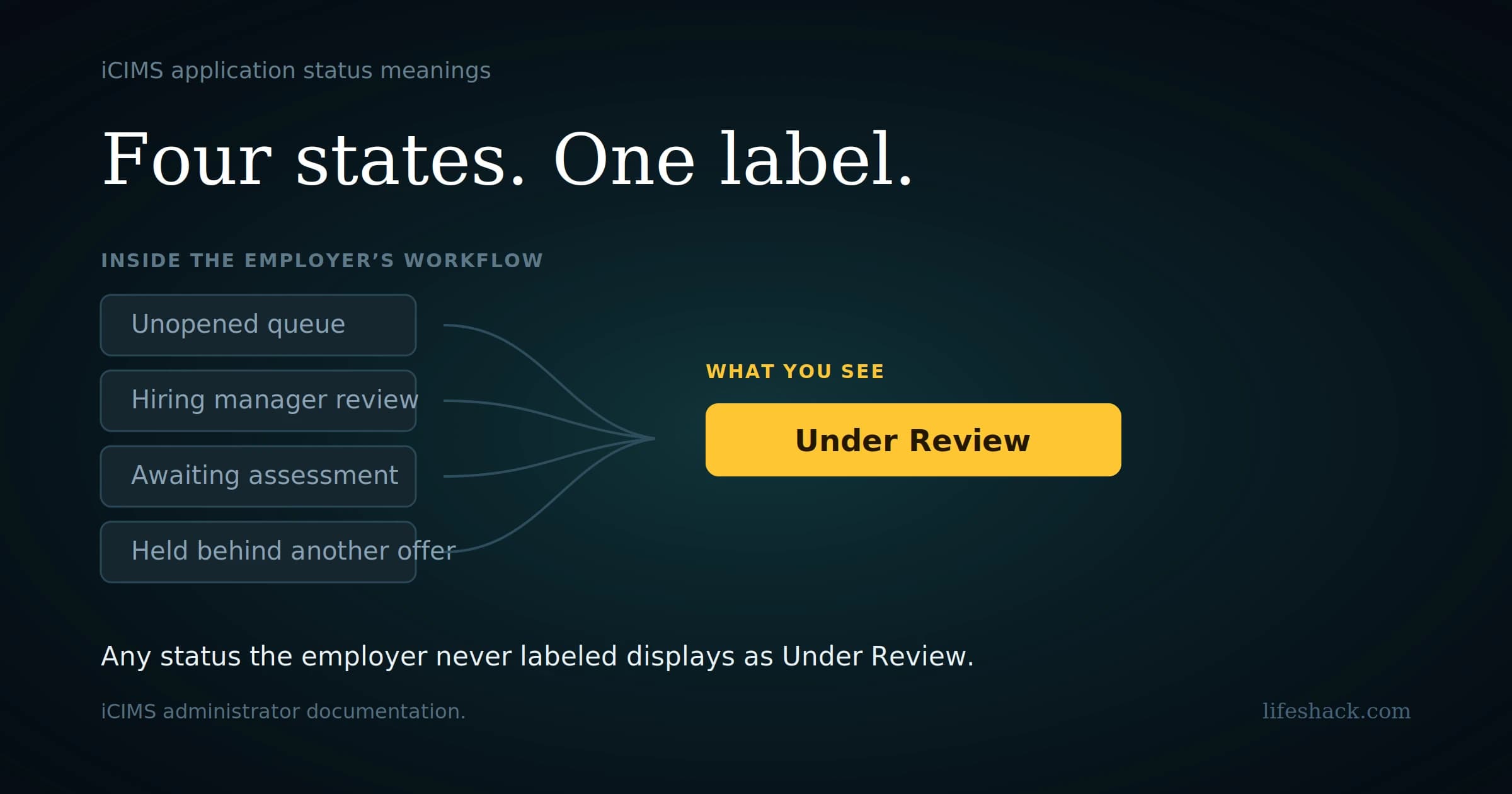
iCIMS's own administrator documentation states what happens when they skip that step. Workflow bins and statuses without a configured label display to the candidate as "Under Review."
"Under Review" is therefore the fallback for any status left unlabeled, which means it is frequently not a description of your application at all. An employer who configured labels for three statuses and left the other twenty alone will show you "Under Review" for all twenty, whether you are sitting in an unopened queue, waiting on a hiring manager, or parked behind a candidate who has not answered their offer.
Most guides tell you "Under Review" means a recruiter has opened your file. Sometimes that is true, and often it means the label field was left empty.
What follows from that
A status change internally may produce no change on your dashboard. If you move from one unlabeled status to another unlabeled status, both display as "Under Review" and your screen looks identical.
Two candidates in the same role can see different progressions. Labels are configured per status and per career site, so experiences differ between employers and sometimes between postings at the same employer.
Specific labels carry more information than generic ones. An employer who took the time to configure "Interview Scheduled" or "Pending Hiring Manager Review" has told you something specific, because somebody deliberately wrote that text. A generic label tells you considerably less.
Comparing your status to someone else's is close to useless. There is no shared vocabulary across employers on this platform.
The labels you are likely to see
Because everything is configurable, treat these as common conventions rather than definitions.
Received, Submitted, or New. Your application is in the system. Usually automatic on submission.
Under Review or In Review. Either genuine screening or the unlabeled default. The ambiguity is structural.
Under Consideration. When deliberately configured, it generally sits after an initial screen. It is also a common catch-all.
Interview, Interview Scheduled, Assessment. Specific enough that someone configured them on purpose, which makes them reliable.
Offer, Offer Extended. Self-explanatory and usually accompanied by direct contact.
Not Selected, No Longer Under Consideration, Declined. A decision has been made.
Withdrawn or Inactive. You withdrew, or the posting closed and the employer moved everyone out of the active pipeline.
For what these mean across platforms generally, our job application status meanings hub covers the common vocabulary.
Where to check
iCIMS runs a candidate portal for each employer, reached through that employer's career site rather than through a central iCIMS login. There is no single dashboard showing every iCIMS application you have ever submitted.
Find it by returning to the careers page where you applied and looking for a candidate or applicant login, or by using the link in your application confirmation email, which is usually the fastest route.
If you cannot find a portal at all, some employers disable candidate-facing status entirely. iCIMS directs status questions to the employer for exactly this reason, since the platform does not control what any given company chooses to show.
Reading the dashboard without overreading it
Direct contact outranks everything. An email, a scheduling link, an assessment invitation. Any of these is worth more than any status.
Movement matters more than the label. A change you did not expect means someone took an action. The specific word they chose matters less than the fact that it changed.
Duration tells you almost nothing. Statuses are updated manually, often in batches, and sometimes never. Weeks at the same label is common and is not itself a signal.
A disappeared posting is not a decision. Employers unpost roles to stop new applications while a process continues.
Time your follow-up against response benchmarks instead of the dashboard. The median first review in the US lands around six days, and our guide to how long it takes to hear back covers the full timeline.
The part the dashboard cannot help with
Refreshing a portal that may be showing you an unlabeled default is not a strategy, and it is the activity this situation invites.
Each application also means another account with another employer, since iCIMS portals are per-company and nothing carries between them. Twenty applications to iCIMS employers is twenty registrations, twenty passwords and twenty dashboards to check.
LifeShack handles that layer. It searches for roles matching your background and constraints, tailors the resume and cover letter to each posting, submits across the systems employers use, including Workday, Greenhouse, Lever, iCIMS and Ashby, and keeps every application in one place, so the whole search is visible without logging into a dozen separate portals.
Frequently asked questions
What does "Under Review" mean in iCIMS? Either that someone is screening your application, or that the employer never configured a candidate-facing label for whichever status you are in. iCIMS administrator documentation states that workflow bins and statuses without a configured label display as "Under Review," so the phrase is also the system default.
Why has my iCIMS status not changed in weeks? Possibly because it has, invisibly. If you moved between two statuses that both lack configured labels, your dashboard shows "Under Review" in both. Statuses are also updated manually and often in batches.
Are iCIMS statuses the same at every company? No. Nothing is fixed by the vendor. Each employer configures its own labels per status and per career site, so the same words can mean different things at different companies.
What is the difference between "Under Review" and "Under Consideration" in iCIMS? Only what the employer decided when configuring them. Where both are deliberately configured, "Under Consideration" usually sits later in the process. Where they are not, the distinction may be meaningless.
Where do I check my iCIMS application status? Through the candidate portal on the employer's own career site, reached from the careers page or from your application confirmation email. There is no central iCIMS dashboard across employers.
Does iCIMS notify you if you are rejected? That depends on the employer, since notifications are configured alongside statuses. Many employers send nothing, which is why a status quietly changing to an inactive label is sometimes the only notice you get.
Is "Under Review" a good sign in iCIMS? It is a weak signal in either direction. Treat direct contact as the indicator and the status as background information.
My iCIMS portal shows nothing at all. What does that mean? Some employers disable candidate-facing status. The absence of information is a configuration choice and not a statement about your application.
Sources
iCIMS administrator documentation on configuring candidate-facing status information in iCIMS Applicant Tracking, including recruiting workflow bins, per-status labels, and the default display behavior for unlabeled statuses. SmartRecruiters 2025 Recruiting Benchmarks on time to first review.